Showing posts with label Browser. Show all posts

Firefox 3.0 Final launched today

Filed in: ,
Finally Mozilla has released the much awaited version of Firefox 3.0 Final today. Even though it has not been officially launched yet, they have put the download files on their ftp servers. You can download Firefox 3.0 Final from their ftp server.Download English version from here/ other languages from here
. Read full story .


Apple released Final version of Safri web browser 3.1 for Windows and Mac

Filed in: ,
Apple has launched the full and final version of safari web browser 3.1 for Windows and Mac which it claims is the fastest web browser on any platform. Safari loads pages up to 1.9 times faster than Internet Explorer 7 and up to 1.7 times faster than Firefox 2. And it executes JavaScript up to 6 times faster than Internet Explorer 7 and up to 4 times faster than Firefox 2. Safari 3.1 supports the latest Web standards - support HTML 5 (audio / video), CSS 3 Web standards such as CSS animations and CSS Web Font, data storage component etc
You can download Safari from Apple Official site for free
Safari 3.1 supports Windows XP / Vista (For Windows)
Download Safari for Windows XP / Vista
Download Safari+Quicktime for XP / Vista
. Read full story .

Internet Explorer 8 beta 1 has been released for download

Filed in: , ,
Microsoft has decided to distribute the first beta version of Internet Explorer 8. At present it can be installed on Microsoft Windows Vista Service Pack 1 (SP1), Windows Vista, Windows XP Service Pack 2 (SP2), Windows Server 2008 and Windows Server 2003 Service Pack 2 (SP2).Following are some features revealed in internet explorer 8 - Activities, WebSlices, Favorites Bar, Automatic Crash Recovery, and Improved Phishing Filter.
Activities allow users to send web content via the internet to find the online service better known. For example, you can select a physical address of a restaurant and with only two clicks to see a map without having to leave the same site.
WebSlices allows users to crop a specific area section of a site and bookmark it. Automatic Crash Recovery will help to avoid losing information. It recovers your tabs if your browser crashes.
[However, I can’t download it, think that we have to wait some more time to download it ]
(via Genbeta) Download
. Read full story .

Acid3 Test –Test your browser

Filed in: ,
Acid3 Test allows us to test our browser which shows whether the browser we are using meets its specification of web standards drafted by the W3C.

This is the latest version and it analyzes a browser and shows the result in percentage. That is, for example, if a browser passes the test with 100% result means, it displays a web page with no errors that it scheduled.

Track - Genbeta


. Read full story .

IE7Pro - a must have add-on for Internet Explorer

Filed in: ,
IE7Pro is an add-on for Internet Explorer available for free download that adds a lot of new features and extras to IE which make your browsing experience more responsive, fast and sleek.

>>Following feature are included in the latest version

  • Tabbed Browsing with more features.
  • Spell Check,
  • Download-Manager
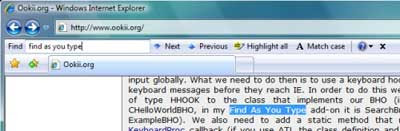
  • Inline Search,
  • Super Drag & Drop
  • Crash Recovery
  • Proxy Switcher
  • Mouse Gesture
  • Tab History Browser
  • Web Accelerator
  • User Agent Switcher
  • Web page Capturer- saves as image
  • AD Blocker
  • Flash Block
  • Greasemonkey like User Scripts platform,
  • User Plug-ins and many more power packed features.

IE7 Pro is surely the easiest way to make your Internet Explorer Professional

>>For download and other details click here
>>Related Post on Internet Explorer7


. Read full story .

SeaMonkey - An all-in-one Internet Application Suite from Mozilla

Filed in:


SeaMonkey is a web application suite and provides all your Internet needs in one. It is a web-browser, advanced e-mail and newsgroup client, IRC chat client, and HTML editing tool.

Its browser has all the features of modern browser including tabbed browsing, advanced security settings like password, download, and cookie managers, multi-language and multi-platform support; and, the latest in web standards.

SeaMonkey allows managing your mail with customizable Labels and Mail Views. And also the color codes allow identifying priorities of the mail.

SeaMonkey messenger includes enterprise ready features such as S/MIME, return receipts, Address Books, LDAP support, and digital signing.

SeaMonkey's another feature HTML editor keeps getting better with dynamic image and table resizing, quick insert and delete of table cells, improved CSS support, and support for positioned layers.

License: Free


. Read full story .


Internet Explorer 7 opened to all -No WGA validation check

Filed in:
The latest version of Internet Explorer 7 (build 7.0.5730.13) does not require Windows Genuine Advantage validation check. Now it can be install on all copies of Windows whether it is pirated or genuine.

"Because Microsoft takes its commitment to help protect the entire Windows ecosystem seriously, we’re updating the IE7 installation experience to make it available as broadly as possible to all Windows users. With today’s "Installation and Availability Update," Internet Explorer 7 installation will no longer require Windows Genuine Advantage validation and will be available to all Windows XP users. If you are not already running IE7, you can get it now from the Internet Explorer home page on Microsoft.com, get a customized version from a third-party site, or, if you haven’t already received it via Automatic Updates, this version will be delivered to you as we described previously. If you are already running IE7, you will not be offered IE7 again by Automatic Updates,"

News source from Softpedia


. Read full story .

Kestrel – new browser from Opera

Filed in:
Opera released a new browser codenamed Kestrel (opera 9.5 alpha). I think this is the first time Opera accepted a new name for its browser?

>>With Kestrel, Opera added another powerful feature ‘Synchronize’, features sneak preview with support for bookmarks, Speed Dial and personal bar synchronization between desktop versions of Opera.

>>Opera's excellent zoom function and the bandwidth saving control of images are now made easily available on the Status bar.

>>Kestrel adds support for Apple's screen reader "VoiceOver" found in Mac OS X 10.4 Tiger. This allows visually impaired Opera users to more easily use all of the features in the browser

Following are some enhancements include in the new release -

- Faster and less-memory intensive ECMA script engine

- A greatly improved layout algorithm

- The font-rendering speed is improved significantly, along with the tiling of bitmaps

- More responsive user interface

Internal benchmarks show up to 50 percent increase in speed compared to the previous core version in Opera 8. But, performance is more than just showing Web pages faster. Performance is about making your browsing experience more enjoyable and productive.

Fore more details visit Opera


. Read full story .

New Opera comes with Speed dial

Filed in:
The most full-featured Internet browser on the market, the new Opera 9.2 comes with a new feature called ‘speed dial’ which allows you access the site quick faster than before.

And what is ‘speed dial’? When you load the browser, the new Opera provides you up to 9 screen shot of website we previously visited. When clicking any one of it loads quite fastly. It is just like that of bookmark a tool bar, but loads the site faster than that, and also you can refresh or change to any site as you like just right clicking on it.

Besides that it has BitTorrent, Improved rich text editing, Site preferences, allow you to add your favorite search engines, content blocker, thumbnail preview, Widgets, and also the old useful features like pop-up blocking, tabbed browsing, integrated searches, and advanced functions like Opera's groundbreaking E-mail program, RSS News feeds and IRC chat

. Read full story .

A Browser- not for all

Filed in: ,

Orphne is an internet browser based on Mozilla engine that was especially designed for adult material viewing. It comes under GPL (General Public License) license stipulations and already reached 0.3 versions.

The browser starts with the obsolete warning which ends with ENTER/NOT 18, EXIT. Not that they know the user's age. But at least they've done it by the book, giving the legal form for this.

Orphne has a simple and intuitive interface. It consists of two main areas, the larger one in the left side. This is where all the content will be displayed. Just enter any keyword in the search area to search.

The browse is 15Mb big and no need to install, just unzip and copy in a folder and double click on Orphne.

The Browser can be downloaded from http://sourceforge.net/

Warning: I am not responsible for your actions under the influence of this material. You must read the producer's legal notes and obey them. I am only intended to reveal a new browser.


. Read full story .

Internet Explorer 7-The first browser supports EV SSL Cirtificate.

Filed in:

Microsoft revealed that Support for Extended Validation (EV) SSL Certificates has been enabled in Internet Explorer 7, at the RSA Conference 2007.

In this context, IE7 becomes the first browser to deliver support for Extended Validation SSL Certificates.

The EV SSL Certificates are the next step of Secure Socket Layer Certificates, delivering not only encryption, but also a standard for identity.

“Back in November, we announced our intention to bring Extended Validation SSL Certificates to IE7. This week at RSA we’ve announced that IE7’s EV SSL support is now live! Many Certification Authorities (CAs), including VeriSign, CyberTrust, Entrust and Go Daddy, are already issuing EV SSL Certificates. We are already seeing businesses such as eBay, PayPal, Charles Schwab, Overstock.com , French Soaps and Stardock) beginning to use EV to offer verified identity information to their users,” said Jeremy Dallman, IE Program Manager.

Support for Extended Validation (EV) SSL Certificates in Internet Explorer 7 is a result of Microsoft's collaboration with the top certification authorities to deliver a verification mechanism that would attest the identity of a website's owner.


. Read full story .


Privacy concious browser

Filed in: ,

Browzar is a free browser that uses the IE shell. A highlight is that it lest you surf with privacy: cookies or auto complete.

Braozar is a very small (264kb only); it comes as an executable that run solo! You can carry it around on a thumb drive and just start surfing sans privacy concerned. It is very light on system resources, and can there for be run on even very low –end systems.

Now for the disadvantages: Browzar can be excruciatingly slow on dial up connections due to the lack of cache. When you hit the forward or back buttons, pages needed to be pre loaded. It does not support right click, so you can not save images from web pages.

Browzar isn’t of course meant to be a replacement for the standard browsers; it is winning points are its portability and privacy.

Web site:www.browzar.com.


. Read full story .